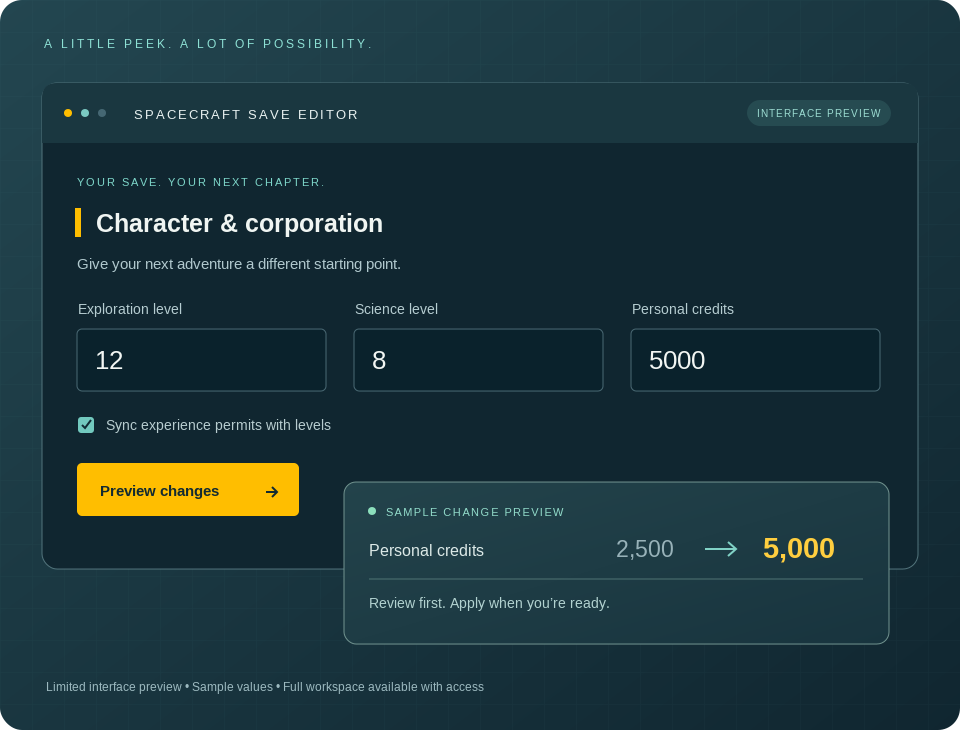
Character & progression
Review character and corporate progression, experience, and permits in one place.
A clearer starting point SPACECRAFTSAVE EDITOR
SPACECRAFT SAVE EDITOR / OFFLINE SAVE TOOLS
A browser-based save editor for SpaceCraft, the space exploration and building game by Shiro Games. Explore your character, resources, bases, and fleet in your offline save. Make your changes, review them, and download your next chapter.
$5 for 30 days No automatic renewal required
YOUR NEXT CHAPTER STARTS HERE
Sign in once. Keep your access together. Then open your save and get back to the part you enjoy.
Creating an account is free. Editor access is $5 for 30 days, or an optional $5 monthly subscription. Choose after signing in.
YOUR WORKSPACE
Or use your email
$5 for 30 days — buy when you need it. Adds 30 days to your unused time. No automatic renewal.
$5 per month — optional automatic renewal until canceled. Cancel future renewals in Manage billing. Unused prepaid days are kept while your paid subscription runs.
Prices are in USD; applicable tax is shown at checkout. Stripe handles payment securely and sends your billing emails. Returning from checkout does not unlock the editor until payment is confirmed.
Connect another sign-in method while signed in to keep one account.
01 / THE TOOLSET
One workspace for your offline universe. Available actions depend on your save and the checks that keep changes consistent.
Review character and corporate progression, experience, and permits in one place.
A clearer starting pointFind items and review inventory, warehouses, and cisterns across your saved world.
Keep resources in viewExplore research and blueprint definitions with searchable item and unlock tools.
Understand what comes nextReview bases by planet, organize building labels, and follow changes before saving.
Connect the detailsInspect farms and plots with crop information, guided plans, and staged plot actions.
Give each plot a planBring ship information into the same workspace as your character and bases.
Keep your fleet in perspective02 / THE APPROACH
Start with a copy of your save. Stage your changes, check the preview, then export a separate edited file. Your original stays your way back.
Save and quit the game. Keep your original backup, then upload a copy of latest.db.
Inspect your changes before committing them to the save file.
Download the edited save and change log. Keep your original backup before loading the edited file in game.
03 / YOUR ACCESS
One editor. Two ways to access it. Choose the option that suits your next playthrough.
Make a project of your next playthrough. Buy another 30 days whenever you need them; unused prepaid days stack.
Get 30 daysChoose an optional monthly subscription for ongoing access. Cancel future renewals from your account.
Choose monthly accessNo. SpaceCraft Save Editor is an independent fan project and is not affiliated with or endorsed by Shiro Games.
Yes. Sign in with Google, Discord, or verified email, then choose $5 for 30 days or an optional $5 monthly subscription. Active paid access opens the browser editor.
The editor works with supported offline SpaceCraft saves. Save and quit first, keep an untouched backup, and check your exported save in game. Features depend on what the save validation can safely support.
04 / SUPPORT
Choose Discord or email for SpaceCraft Save Editor support.
SPACECRAFT OFFLINE SAVE TOOLS
Work on a copy of your offline save, review your changes, and export before returning to the game.
Review character inventory, items, warehouses and cisterns across your saved world. Use the editor’s resource and storage tools to find the entries you want to change.
Explore character and corporate progression, experience, permits, research and blueprint information alongside your inventory. Review each staged change before export.
Bring bases by planet, building labels, farm plots and fleet information into one workspace. Keep an independent backup before editing your SpaceCraft save.
Save and quit SpaceCraft, keep an untouched backup, sign in to this site and choose editor access. Open a copy of your offline save in the editor, review your changes, and export the edited copy. Check the result in game before replacing your backup.
Yes. This is an independent fan tool for the SpaceCraft game by Shiro Games. It is not a Minecraft, Starfield or Space Engineers save editor, and is not affiliated with or endorsed by Shiro Games.
No. Account creation is free. Editor access is $5 for 30 days with no automatic renewal, or an optional $5 monthly subscription. Review the access options after signing in.
No. These tools focus on offline saves. Save and quit the game, work on a copy, and keep your original file safe.
Explore inventory, progression and base tools · Review the save editing workflow · Sign in for browser editor access